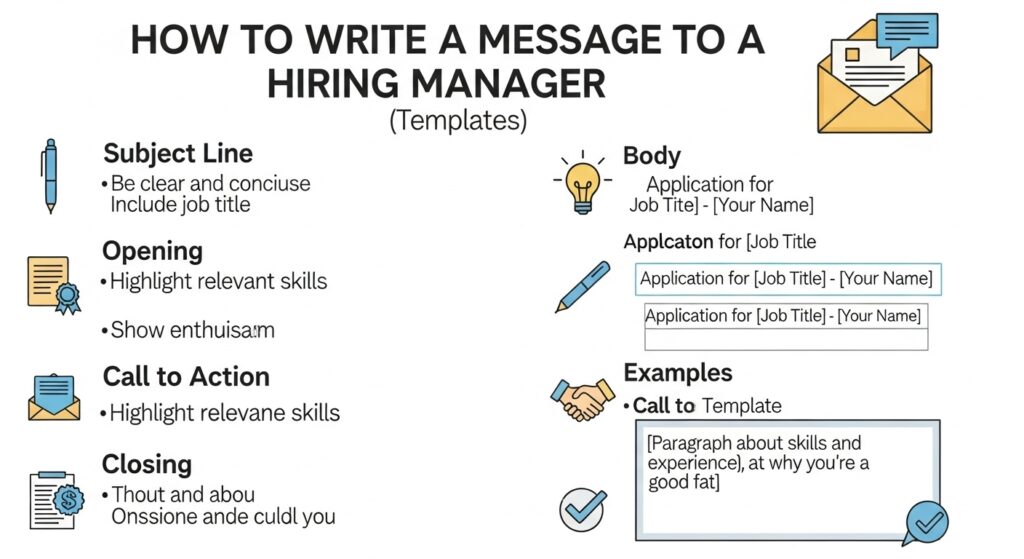
Writing a strong message to a hiring manager is the single best way to escape the “resume black hole.” You’ve seen it: you apply for a job, your application goes into a system, and you never hear back. Sending a direct, professional message cuts through the noise. It shows initiative and puts your name directly in front of the one person who makes the decision.
Many job seekers are afraid to do this. They worry about being “pushy” or “annoying.” But here’s the truth: as someone who has hired many people, a thoughtful message is always welcome. The key is to be professional, brief, and add value. This guide provides the exact templates and strategies to do it right, so you can stop worrying and start getting interviews.
Why Should You Message a Hiring Manager Directly?
You should message a hiring manager directly to stand out from the hundreds of other applicants. This personal touch demonstrates initiative, confirms your strong interest, and builds a human connection. It’s your best strategy to bypass the automated Applicant Tracking Systems (ATS) that often filter out good candidates.
Think about the numbers. A single corporate job posting can get 250+ applications. Many of these are filtered by software before a human ever sees them. Your perfect resume might get rejected because it’s missing one specific keyword.
Sending a message does two things:
- It bypasses the machine. You land directly in their inbox.
- It shows confidence. You prove you are a proactive person who takes action—a trait every manager wants.
It changes you from “Applicant #247” to “Jane Doe, that sharp candidate who reached out.”
When Is the Right Time to Send a Message?
The right time to send a message depends on your goal. You can message before applying to ask a smart question, right after applying to introduce yourself, or one to two weeks after applying as a polite follow-up. Each timing serves a different strategic purpose.
Here is a breakdown of the common scenarios:
- Before Applying: This is a high-level move. You should only do this if you have a genuine, intelligent question about the role that isn’t answered in the job description. This positions you as a thoughtful, diligent candidate.
- Immediately After Applying (within 24 hours): This is my preferred method. You send a quick note saying, “I just applied for [Job Title], and I’m very interested. My 5 years in [Relevant Skill] align perfectly with [Requirement]. I’ve attached my resume for your convenience.” It’s confident and helpful.
- Following Up (1-2 weeks after): If you’ve applied and heard nothing, a polite nudge is appropriate. The key is to be patient. A message like, “Just wanted to reiterate my interest,” can bring your name back to the top of their mind.
How Do You Find the Hiring Manager’s Contact Info?
You can find a hiring manager by searching LinkedIn for the job title at that company. Look for titles like “Director of [Department]” or “Marketing Manager.” If they have a “We’re Hiring” banner on their profile, that’s your person. You can also check the company’s “Team” or “About Us” page.
1. LinkedIn Search (The Best Method)
This is the most professional and effective way.
- Go to the company’s LinkedIn page.
- Click on the “People” tab.
- Search for keywords related to the job. If you’re applying for a “Social Media Coordinator” role, search for “Social Media Manager” or “Director of Marketing.”
- The person with that title is almost certainly the hiring manager.
2. Company Website
Sometimes, a company’s “About Us” or “Team” page lists department heads. This is common for smaller to mid-sized companies and can lead you directly to the right person and their email format (e.g., firstname.lastname@company.com).
3. Email Hunter Tools
Tools like Hunter.io or Apollo.io can guess a person’s email address. Be careful with this. If you get it wrong, your email bounces. If you get it right, it can be very effective. I recommend sticking to LinkedIn, as it’s a platform designed for this kind of professional outreach.
What’s the Difference: LinkedIn Message vs. Email?
A LinkedIn message is best for a brief, conversational introduction or connection request. An email is more formal and is the professional standard for sending documents, confirming an application, or writing a detailed follow-up. Choose your method based on the formality of the situation.
When to Use a LinkedIn Message
A LinkedIn message (or Connection Request note) is perfect for:
- The first touchpoint. “Hi [Name], I’m applying for your [Job Title] role. My background in [X] seems like a great fit. I’d love to connect.”
- Asking for a referral. It’s a low-pressure way to ask a mutual connection for an introduction.
- Informational interviews. It’s a casual and modern way to ask for 15 minutes of their time.
When to Use an Email
Email is the king of formal communication. Use it for:
- Sending your application. This is your “official” submission.
- The post-application follow-up. “I just applied via your portal…”
- Sending your resume/portfolio directly. You can attach your files.
- Thank-you notes after an interview.
If in doubt, send an email. It’s more professional and has a clearer “paper trail.”
What Are the Best Subject Lines for a Hiring Manager Email?
The best subject lines are clear, specific, and professional. They should state the purpose of the email and include the job title. A vague subject line will be ignored or sent to spam. Never leave the subject line blank.
Here are 15 copy-and-paste subject lines that work:
For a New Application:
Job Application: [Job Title] - [Your Name]Interested in the [Job Title] Role - [Your Name][Your Name] - Application for [Job Title]Referred by [Referrer's Name] for [Job Title]
For a Follow-Up:
Following up on [Job Title] Application - [Your Name]Follow-up: [Job Title] RoleReiterating Interest in the [Job Title] Position
For an Informational Request / Cold Outreach:
Question about the [Job Title] Role[Your Industry] Professional Seeking AdviceInformational Chat Request - [Your Name]
For a Referral:
Introduction via [Mutual Connection's Name]Referral for [Job Title] Role
Avoid These Subject Lines:
HiJob Application(Too generic)Urgent!(It’s not)Please read- (blank)
7 Message to Hiring Manager Templates (Copy & Paste)
Here are the ready-to-use templates for the most common scenarios.
The Golden Rule: Never, ever copy and paste these without customizing them. A generic message is worse than no message at all. Use these as a foundation, then add your specific skills, the company’s name, and your authentic voice.
Template 1: Messaging AFTER You Apply (The Intro)
This is the most common and effective use. Send this within 24 hours of submitting your official application.
Email Version
Subject: Following up on [Job Title] Application – [Your Name]
Dear [Mr./Ms./Mx. Last Name],
I just applied for the [Job Title] position at [Company Name] through your [careers portal / LinkedIn].
I was excited to see this role, as my [Number] years of experience in [Key Skill 1] and [Key Skill 2] align perfectly with the job description. In my previous role at [Previous Company], I [short, specific achievement, e.g., “grew our user base by 30% in 6 months”].
I am confident I can bring similar results to your team.
I have attached my resume for your convenience and look forward to hearing from you.
Best regards,
[Your Name] [Your LinkedIn Profile URL]
LinkedIn Connection Request Version (300 character limit)
Hi [First Name], I just applied for your [Job Title] role. My [Number] years in [Key Skill] align perfectly. My resume shows how I [Specific Achievement]. Excited about the chance to work with your team.
Why this works: It’s professional, it confirms your application, it’s convenient (resume attached), and it provides a “hook” (your specific achievement).
Template 2: Messaging BEFORE You Apply (The Smart Question)
Use this only if you have a genuine, high-level question that shows you’ve done your research.
Email Version
Subject: Question about the [Job Title] Role
Dear [Mr./Ms./Mx. Last Name],
I am preparing to apply for the [Job Title] position at [Company Name]. I’ve been following [Company’s] work in [Industry] and was impressed by [Recent Company News/Project].
The job description mentions you are looking for someone to [Key Responsibility]. I have a strong background in this, but I had one quick question: Is this role focused more on [Aspect 1, e.g., new client acquisition] or [Aspect 2, e.g., existing account management]?
This information will help me tailor my application.
Thank you for your time,
[Your Name] [Your LinkedIn Profile URL]
LinkedIn Message Version (if already connected)
Hi [First Name], I’m very interested in the [Job Title] role on your team. I was curious if the position is primarily focused on [Aspect 1] or [Aspect 2]? My experience is strong in both, but I’d love to know the main priority. Thanks!
Why this works: It shows you’ve done your homework. It’s a smart, strategic question that an average applicant wouldn’t ask. It opens a dialogue before you even apply.
Template 3: Messaging with a Referral
A referral is the #1 way to get an interview. This message is your “fast pass.”
Email Version
Subject: Referred by [Referrer’s Name] for [Job Title]
Dear [Mr./Ms./Mx. Last Name],
Our mutual colleague, [Referrer’s Name], suggested I reach out to you.
I am a [Your Job Title] with [Number] years of experience, and [Referrer’s Name] mentioned you have an opening for a [Job Title] that I would be a great fit for. In my current role, I’ve specialized in [Key Skill 1] and [Key Skill 2].
[Referrer’s Name] felt my [Specific Trait, e.g., “knack for data analysis”] would be very valuable to your team.
I have attached my resume. I would be grateful for the chance to discuss how I can contribute to [Company Name].
Best regards,
[Your Name] [Your LinkedIn Profile URL]
LinkedIn Connection Request Version
Hi [First Name], [Referrer’s Name] suggested I connect with you. I’m very interested in the [Job Title] role on your team and would love to chat.
Why this works: It name-drops the referrer in the first sentence. This builds immediate trust and all but guarantees your message will be read.
Template 4: The Follow-Up Message (After No Response)
Wait 1-2 full weeks after applying. Do not send this 48 hours later. Be patient.
Email Version
Subject: Following up on [Job Title] Application – [Your Name]
Dear [Mr./Ms./Mx. Last Name],
I hope this note finds you well.
I applied for the [Job Title] position two weeks ago, and I wanted to politely follow up. I’m still very interested in the role and the opportunity to join [Company Name].
My background in [Key Skill] and my success in [Specific Achievement] would make me a great asset to your team.
Could you please let me know if there is an update on the hiring timeline? I am available for an interview at your convenience.
Thank you for your time and consideration.
Best regards,
[Your Name] [Your LinkedIn Profile URL]
LinkedIn Message Version (if connected)
Hi [First Name], I hope your week is going well. I applied for the [Job Title] role a couple of weeks back and just wanted to reiterate my strong interest. Is there any update on the timeline? Thanks!
Why this works: It’s polite, professional, and non-demanding. It doesn’t say, “Why haven’t you replied?” It says, “I’m still interested.” It also gives them an easy “out” by just asking for the timeline.
Template 5: The “Cold Outreach” (No Job Posting)
This is for when you love a company but they don’t have an open role. This is how you get “hidden” jobs.
Email Version
Subject: [Your Industry] Professional Interested in [Company Name]
Dear [Mr./Ms./Mx. Last Name],
I’ve been following [Company Name] for some time, and I truly admire [Specific thing you admire, e.g., “your approach to content marketing” or “your new product launch”].
I am a [Your Job Title] with [Number] years of experience in [Key Skill]. While I know you may not have an open role that matches my background right now, I wanted to introduce myself.
My resume is attached. I would be happy to be considered for any future openings on your team.
Sincer> ely,
[Your Name] [Your LinkedIn Profile URL]
LinkedIn Message Version
Hi [First Name], I’m a huge fan of [Company Name]’s work in [Industry]. As a [Your Job Title] with [Key Skill], I’d love to connect. I know you may not be hiring, but I wanted to be on your radar for any future opportunities.
Why this works: It’s a long-term play. You are planting a seed. When a role does open up, your name will be at the top of their mind. This is how smart networking is done.
Template 6: Asking for an Informational Interview
This is not asking for a job. It’s asking for advice. People love giving advice.
Email Version
Subject: [Your Industry] Student/Professional Seeking Advice
Dear [Mr./Ms./Mx. Last Name],
I found your profile on LinkedIn and was so impressed by your career path from [Old Role] to [Current Role].
I am a [Your Status, e.g., “recent graduate” or “marketing professional”] looking to grow in [Industry]. Would you be open to a 15-minute virtual coffee chat in the coming weeks? I would be grateful for any advice you could share about your journey.
I understand you are very busy, so no pressure at all.
Best regards,
[Your Name] [Your LinkedIn Profile URL]
LinkedIn Connection Request Version
Hi [First Name], I’m so impressed by your career in [Industry]. As someone just starting out, I’d be grateful for 15 minutes of your advice over a virtual coffee.
Why this works: It’s flattering. You are not asking for a job; you are asking for 15 minutes of their expertise. This often leads to a job referral once they get to know you.
Template 7: After a Rejection (Building a Future Relationship)
This is the most professional move you can make. It leaves the door open for the future.
Email Version
Subject: Thank You – [Job Title]
Dear [Mr./Ms./Mx. Last Name],
Thank you for letting me know your decision regarding the [Job Title] position. While I’m disappointed, I truly enjoyed our conversation and learning more about [Company Name].
I still believe [Company Name] is doing fantastic work in [Industry]. Please keep me in mind for any future roles that may be a better fit.
I wish you and your team the best in your search.
Best regards,
[Your Name] [Your LinkedIn Profile URL]
LinkedIn Message Version
Hi [First Name], thanks for the update. I enjoyed our chat, and I’m grateful for the consideration. I’ll continue to follow [Company Name]’s success. Please keep in touch for any future opportunities.
Why this works: It’s mature, graceful, and rare. It ends the interaction on a high note. I have personally kept candidates in mind for years because they sent a note like this. It proves their character.
What Common Mistakes Should You Avoid?
Your message can hurt you if it’s not professional. Avoid these common errors at all costs.
1. Typos and Grammatical Errors
This is the #1 killer. If your introductory message is full of mistakes, it signals a lack of attention to detail.
- How to Fix: Read your message out loud. Use a grammar-checking tool. Have a friend read it.
2. Being Too Informal or Casual
Starting with “Hey” or “Yo” is an instant delete.
- How to Fix: Use “Dear [Name]” or “Hi [Name].” Keep the tone professional, even on LinkedIn.
3. Making It Too Long
Hiring managers are busy. They will not read a 1,000-word essay about your life.
- How to Fix: Keep it to 3-4 short paragraphs. Get to the point quickly. Respect their time.
4. A Vague or No Call-to-Action
What do you want them to do? “Just wanted to say hi” is useless.
- How to Fix: Be specific. “I have attached my resume,” “Would you be open to a 10-minute chat,” or “Could you let me know the timeline?”
5. Following Up Too Soon or Too Often
Sending a follow-up every two days is pestering, not persistent. This is a fast way to get blacklisted. It can even become a problem for HR risk management if it borders on harassment.
- How to Fix: Wait at least one full week—preferably two—before a polite follow-up. One follow-up is enough.
6. Sending a Generic, Non-Customized Message
They can spot a copy-paste template a mile away.
- How to Fix: Always use the hiring manager’s name, the company’s name, and the specific job title.
How Can AI Help You Write Your Message?
AI can be a fantastic co-pilot for drafting your message, but it should never be the final pilot. You can use AI career tools to generate a solid first draft that is professional and grammatically correct.
For example, you can give an AI tool one of the templates above and say:
“Make this more professional and add a sentence about my 3 years of experience in B2B SaaS marketing and my achievement of increasing leads by 50%.”
The AI will give you a great starting point. Your job is to then edit it. Add your human voice. Add a specific detail about the company you found. The AI handles the 80% of formal writing, and you add the 20% of personality that gets you the interview.
This is much better than automating the entire process. While a tool like the one in our LoopCV review can automate applications, this personal message is your secret weapon. Don’t automate your personality.
What If You’re Sending a Formal Cover Letter?
A formal cover letter is different from the brief messages we’ve discussed. A cover letter is an official, one-page document. It’s a standard part of an application. The messages in this guide are supplements to that application.
- Cover Letter: A 3-4 paragraph document that formally argues why you are the best candidate. It is often attached as a PDF with your resume.
- Hiring Manager Message: A 3-4 sentence introduction that accompanies your application or serves as a follow-up.
You can often paste your cover letter into the body of an email if the application requests it. The key is to know the difference. The templates in this guide are for the brief, high-impact messages that get you noticed.
Final Verdict
Sending a direct, polite, and value-driven message to a hiring manager is 100% worth the 10 minutes it takes. It’s the difference between being proactive and being passive.
In a job market where you are competing with hundreds of applicants and algorithms, a personal touch is your greatest advantage. Use these templates, customize them, and be confident. You are not “bothering” them; you are proving you are the solution to their problem.