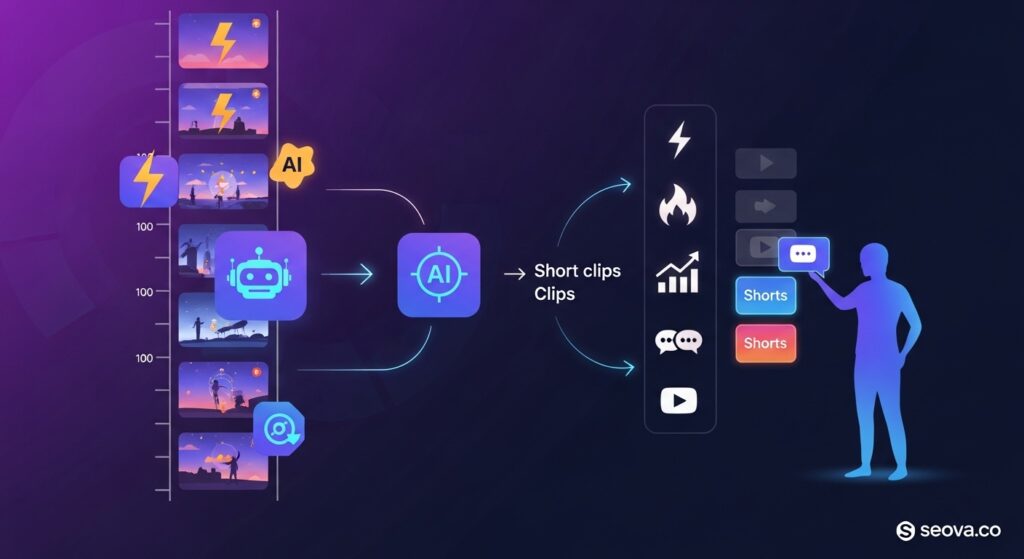
2short AI helps creators turn long videos into short clips that attract more viewers across major platforms. Many creators record strong content but lose time searching for the right moments and cutting clips by hand. Editing slows growth and limits how often new posts reach fresh audiences.
This guide shows how 2short AI speeds clip extraction, boosts content output, and helps creators publish viral-ready short videos faster. You will see how the tool turns podcasts, interviews, and YouTube uploads into steady short-form posts without long editing sessions.
What is 2short AI?
2short AI is a web-based video repurposing software designed to automatically extract engaging highlights from long-form content and convert them into vertical short-form videos.
Specifically built for YouTube creators, podcasters, and streamers, this tool uses artificial intelligence to scan distinct audio and visual cues within a longer video. It identifies the most viral-worthy moments and reformats them into 9:16 vertical clips suitable for TikTok, YouTube Shorts, and Instagram Reels. By handling the heavy lifting—such as finding the “hook,” cropping the video to keep the speaker in frame, and adding animated captions—it functions as an all-in-one short-form video generator.
For most creators, the bottleneck isn’t filming; it’s the post-production grind. You might have a fantastic hour-long podcast episode, but finding the three distinct minutes that will go viral on TikTok takes time.
- The Problem: You have to re-watch your footage, log timestamps, switch to an editor, adjust the aspect ratio, and manually animate subtitles.
- The Solution: 2short AI acts as a viral clip extractor that removes this manual friction.
It bridges the gap between the “search engine” nature of long-form YouTube and the “discovery engine” nature of short-form feeds. Essentially, it is a long-to-short video converter that prioritizes retention.
How Does 2short AI Work for YouTube, TikTok, and Instagram Reels?
2short AI works by analyzing a YouTube video URL, using natural language processing to “listen” to the content, and applying computer vision to “watch” the active speaker, automatically generating edited vertical clips.
The process is designed to be linear and requires minimal input from the user. Here is exactly what happens under the hood when you paste a link:
- URL Input & Transcription: You provide a YouTube link. The system immediately pulls the video data and generates a transcript. This text data is the foundation for the AI video summarizer to understand what is being said.
- Contextual Scoring: The AI doesn’t just look for loud noises; it looks for context. It scans the transcript for “high-energy” moments, questions and answers, or emotional peaks. It assigns a “virality score” to different segments of the video.
- Smart Cropping (Reframing): Once a clip is selected, the AI identifies the main subject (usually the speaker’s face). It converts the 16:9 horizontal footage into a 9:16 vertical format, panning virtually to keep the subject centered.
- Output Generation: The tool presents you with a list of potential clips, ranked by how likely they are to perform well. From there, you can make final tweaks before exporting.
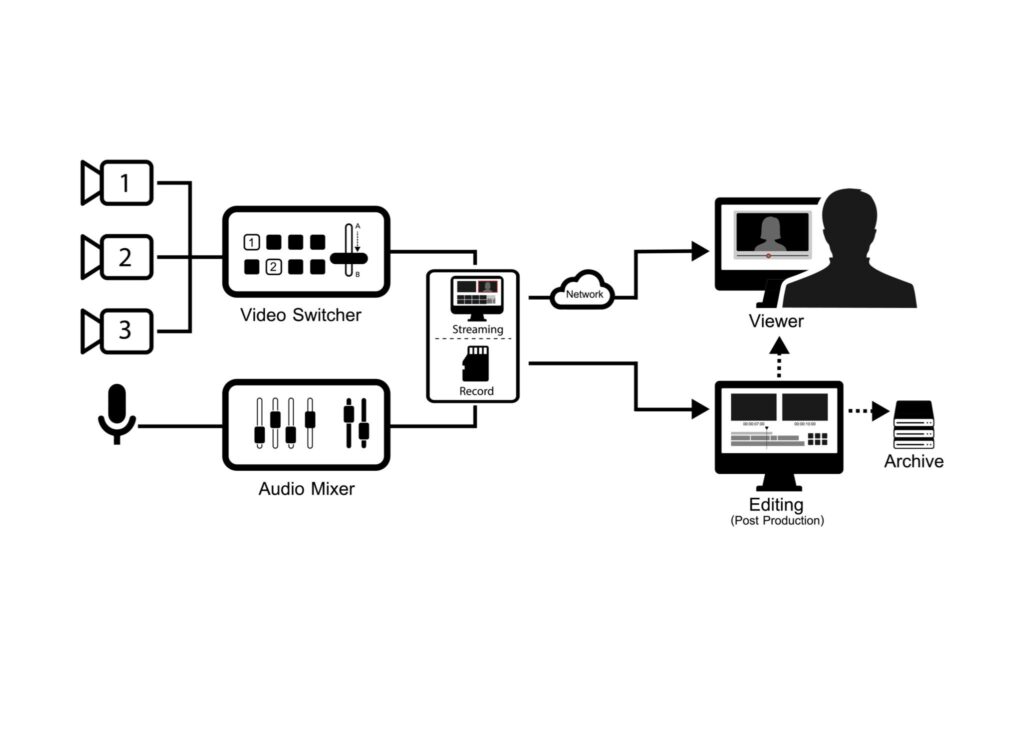
This workflow replaces the traditional “editor’s instinct” with data-driven decisions. A human editor might miss a subtle joke or a profound statement because of fatigue. The machine doesn’t get tired. It scans the entire timeline with equal attention.
The integration of auto-caption generators and scene detection means the output is platform-ready. TikTok and Reels algorithms rely heavily on text overlays and fast-paced cuts to retain viewers. 2short AI bakes these elements in during the generation phase, rather than asking you to add them later.
How Does AI Detect the Most Engaging Moments in Long Videos?
The AI detects engaging moments by using Natural Language Processing (NLP) to analyze speech patterns, sentiment, and emotional inflection, pairing this with content classifier AI to identify high-retention topics.
It isn’t guessing; it is measuring. The core technology relies on highlight detection AI that functions similarly to how a human interprets a conversation. It looks for:
- Speech Emotion Detection: Changes in pitch, volume, and speed often signal excitement, anger, or laughter. The AI flags these variances as potential viral hooks.
- Video Scene Embeddings: The system recognizes visual changes or distinct breaks in the conversation flow, which helps in defining the start and end points of a clip.
- Topic Continuity: Using transformer-based detection, the AI ensures that the extracted clip has a beginning, middle, and end. It avoids cutting a sentence in half or starting a clip without context.
This represents a major leap from early video summarizer tools that simply cut clips based on silence. 2short AI attempts to understand the meaning of the segment, ensuring the extracted clip delivers value as a standalone piece of content.
How Does 2short AI Add Captions, Resizing, and Dynamic Zoom?
2short AI automates editing by using facial recognition to track the speaker for vertical resizing and creates time-synced subtitles through speech-to-text algorithms.
The most tedious part of editing shorts is “reframing.” In a wide shot with two people sitting far apart, simply cropping the center creates an empty frame. 2short AI utilizes face-following AI to solve this.
- Vertical Resizing (Smart Crop): The AI detects who is currently speaking. If Speaker A talks, the “camera” pans to them. If Speaker B responds, it cuts or pans to Speaker B. This mimics a multi-camera setup using a single video file.
- Dynamic Zoom: To keep retention high, the software adds subtle zooms during emphatic moments. This movement prevents the video from feeling static—a killer for engagement on TikTok.
- Auto-Captioning: The subtitle animation is generated directly from the transcript. The AI highlights the current word being spoken (often called “karaoke style”), which draws the viewer’s eye and keeps them watching even if their sound is off.
By automating subtitle animation and dynamic zoom, the tool handles the “micro-edits” that usually take human editors hours to perfect.
Why Do Content Creators Use 2short AI for Short-Form Video Production?
Content creators use 2short AI to drastically reduce editing time and increase output volume without hiring a team. It eliminates the manual grunt work of searching through hours of footage, allowing users to post consistently on TikTok and Reels to signal algorithms for faster channel growth.
Let’s face it: the “content treadmill” is exhausting. You spend hours filming and editing a main video, only to realize you also need to post three times a day on TikTok just to stay relevant. This is where automated editing pipelines come in.
The primary driver for using 2short AI is productivity. Manually editing a 60-minute podcast into five separate Shorts can easily take four to five hours. You have to watch the whole thing, note the timestamps, cut the clips, adjust the aspect ratio for every single clip, and type out captions. 2short AI compresses that entire workflow into minutes.
Key Reasons Creators Make the Switch:
- Boost Channel Growth: Algorithms love consistency. By using an AI highlight extractor, you can go from posting once a week to posting daily. This frequency feeds the recommendation engines on YouTube and Instagram, pushing your content to new audiences.
- Increase Short Virality: Because the AI is trained to recognize “high engagement” patterns, the clips it selects are often mathematically more likely to hold attention than clips chosen at random.
- Fast Clip Generation: Speed is money. If a trending topic hits your niche, you can pull an old video, run it through 2short, and have relevant content live while the trend is still hot.
Creator Tip: Think of 2short AI not as a replacement for your creativity, but as a filter. It sifts through the noise to hand you the gold, so you can spend your energy on the final polish rather than the rough cut.
What Are the Best Use Cases for 2short AI?
The best use cases involves repurposing long-form spoken content like podcasts, interviews, and educational webinars into bite-sized viral clips. It is most effective for creators who already have a library of horizontal videos and need to populate vertical feed platforms like TikTok and YouTube Shorts.
While you can throw any video into the engine, it shines brightest when there is clear dialogue and distinct topics. A silent vlog with just music and B-roll might confuse the AI, but a structured conversation is its playground.
Here is how different creators are leveraging the tool:
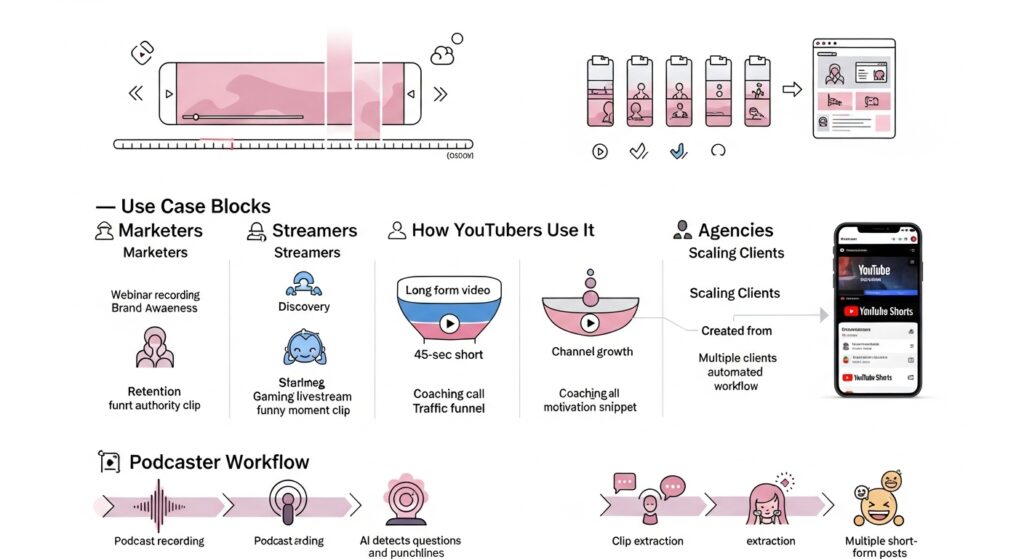
| User Type | Primary Goal | How 2short Helps |
| Marketers | Brand Awareness | Turns webinar recordings into 60-second “knowledge nuggets” for LinkedIn. |
| Streamers | Discovery | Converts 4-hour Twitch streams into funny moments for TikTok without manual scrubbing. |
| Coaches | Lead Generation | Extracts specific advice from long coaching calls to build authority on Instagram Reels. |
| Agencies | Scale | Allows a single editor to manage short-form content for 10+ clients simultaneously. |
How Do YouTubers Use 2short AI to Increase Channel Growth?
YouTubers use 2short AI to create a “content bridge” that funnels traffic from Shorts to their long-form videos. By automating the creation of teasers, they maintain daily activity and visibility without needing to film new material constantly.
The strategy here is simple: YouTube retention and discovery. A viewer might not commit to a 20-minute video from a creator they don’t know. But if they see a compelling 45-second clip in their Shorts feed, they are far more likely to click the “Created from…” link to watch the full version.
Using a YouTube Shorts generator AI allows you to flood the feed with entry points to your channel. You aren’t just making content; you are making advertisements for your main content.
How Do Podcasters Turn Interviews Into Multiple Clips?
Podcasters use 2short AI to identify distinct questions, jokes, or stories within an episode and export them as standalone assets. This allows them to turn a single recording session into a week’s worth of social media posts.
Podcasts are notoriously hard to promote on social media because they are audio-first and very long. Audio-driven highlight mapping changes this. The AI listens for the pause before a question and the laughter after a punchline to determine where a clip should start and end.
Instead of posting a static image with an audio wave (which rarely performs well), podcasters can now share high-energy, face-focused video clips. This long-form repurposing strategy is exactly how top podcasts dominate feeds—they don’t film specifically for TikTok; they just slice up what they already have.
What Features Does 2short AI Offer for Optimizing Short Videos?
2short AI offers a focused suite of features designed specifically for vertical retention, including AI-driven clip scoring, facial tracking for smart cropping, animated subtitles, and high-resolution export options.
Unlike complex video editors that overwhelm you with timelines and effects, 2short AI strips the interface down to the essentials needed for virality. It focuses entirely on the elements that stop viewers from scrolling past your video.
Here are the core features that drive the platform:
- AI Clip Scoring System: You don’t just get random clips. The system grades potential shorts based on predicted virality, allowing you to filter the output. You can choose to see only the “top-rated” moments rather than sifting through dozens of mediocre ones.
- Smart Cropping (Center Stage): This is the engine’s standout feature. It uses facial detection to lock onto the speaker. If your subject moves in the original wide shot, the vertical crop follows them smoothly, ensuring they never drift out of frame.
- Animated Subtitles: Text is mandatory for social video. 2short AI auto-generates captions and highlights the spoken word in real-time. This “karaoke” effect keeps the viewer’s eyes moving and increases watch time.
- Dynamic Zoom: To prevent “visual fatigue,” the tool automatically adds slow zooms or cuts during long monologues. This mimics the editing style of top YouTubers like MrBeast or Alex Hormozi without you needing to set keyframes manually.
- Brand Presets: While simple, it allows for customization of caption colors and fonts, ensuring your shorts don’t look identical to everyone else’s.
How Accurate Is 2short AI in Detecting Good Clips?
2short AI is highly accurate at detecting engaging moments in dialogue-heavy content, utilizing engagement-aware clipping to identify emotional peaks, laughter, and clear topic changes with a success rate that generally satisfies most creators.
However, “accuracy” in AI is subjective. If you ask, “Does it find the loudest parts?” the answer is yes. If you ask, “Does it understand complex irony?” the answer is mixed.
The video summarization models excel at structured content. If you feed it a podcast where the host asks, “How did you make your first million?” and the guest answers clearly, the AI will capture that perfectly. It recognizes the question-and-answer format as a high-value segment.
Where it performs best:
- Interviews: Clear separation of speakers helps the AI make clean cuts.
- Monologues: Educational videos where one person speaks continuously are easy for the AI shot selection to parse.
Where it struggles:
- Overlapping Audio: If three people talk at once, the AI may struggle to decide who to focus the camera on or how to caption the noise.
- Visual Humor: If a funny moment relies on a visual gag (like someone falling over) rather than audio, the algorithm—which is heavily audio-dependent—might miss it entirely.
What Are the Limitations of Using 2short AI?
The main limitations of 2short AI are its reliance on clear audio for detection, a lack of advanced editing controls for creative storytelling, and occasional errors in context where cuts may feel abrupt or incomplete.
No tool is perfect, and trusting automation 100% can be risky. While it is a powerful video repurposing software, it is not a replacement for a professional human editor for high-stakes content.
Key Downsides to Consider:
- Nuance Loss: AI works on patterns, not empathy. It might cut a clip right before a crucial punchline because the audio levels dropped, ruining the emotional impact of the story.
- Template-Heavy Editing: Because it automates the process, the output can feel generic. If you use the default settings, your videos will look like thousands of other creators’ videos. You risk blending in rather than standing out.
- Non-Verbal Detection Issues: As mentioned, the tool “listens” better than it “watches.” It struggles to identify moments that are purely visual, such as a reaction shot where no one is speaking.
- Language Barriers: While support is growing, auto-caption generators often struggle with heavy accents, slang, or technical jargon, requiring you to manually proofread the text before exporting.
Critical Note: Always watch your clips before posting. Do not blind-export. A quick human review is necessary to catch awkward cuts or misspelled captions that the AI missed.
How Do You Use 2short AI Step-by-Step?
To use 2short AI, simply copy a YouTube video URL, paste it into the 2short dashboard to allow the AI to analyze the content, select your preferred viral clips from the generated list, customize the captions, and export the final video for social media.
Using the tool is designed to be as frictionless as possible. You don’t need to install anything; it lives entirely in your browser. Here is the exact walkthrough to go from a long YouTube video to a finished TikTok in under 5 minutes:
Step 1: Choose Your Source Material
Find a YouTube video you want to repurpose. The best candidates are videos with clear speech, such as podcasts, interviews, or commentary videos. Copy the URL from your browser address bar.
Step 2: Paste and Analyze
Go to the 2short.ai homepage and paste the link into the input box. Click “Analyze.”
- What happens here: The AI begins the auto-generate highlights process. It downloads the transcript and scans the video. Depending on the length of the video, this can take anywhere from 60 seconds to a few minutes.
Step 3: Review the AI Suggestions
Once processing is complete, you will see a dashboard populated with potential clips.
- Virality Score: Each clip is assigned a score (e.g., 85/100). This indicates how “gripping” the AI thinks the segment is.
- Preview: You can watch the raw cut to see if the context makes sense.
Step 4: Edit and Refine
Click on a clip to enter the editor. Here, the smart cropping engine will have already converted the video to vertical.
- Check the crop: Ensure the speaker’s face is centered.
- Check the text: Read through the captions to ensure accuracy.
Step 5: Export and Download
Once you are happy with the layout and text, hit the “Export” button. You can typically choose 1080p resolution. The file will download to your device, ready to be uploaded to TikTok, Reels, or Shorts.
How Do You Customize Captions, Fonts, and Layouts?
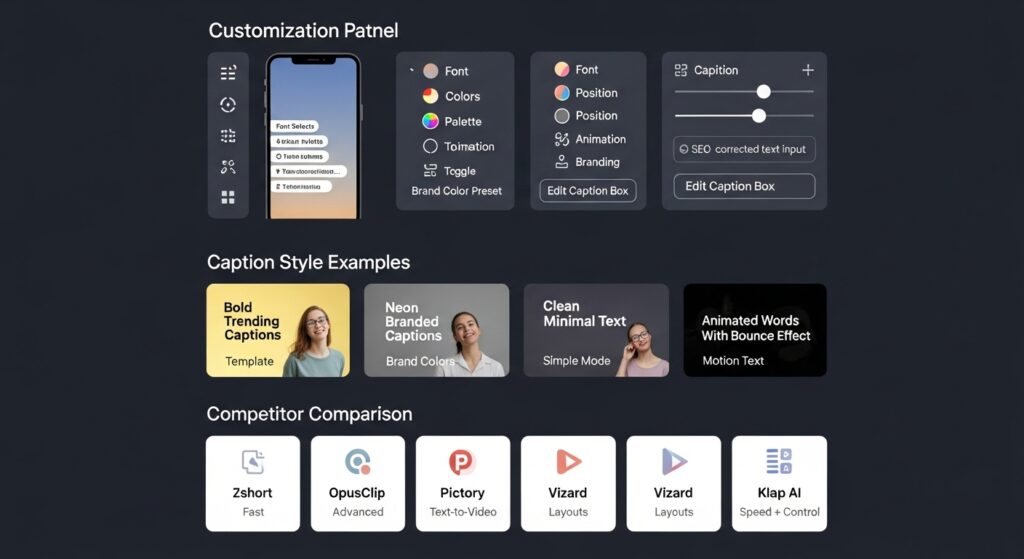
You can customize captions in 2short AI by accessing the ‘Edit’ panel for any selected clip, where you can modify the font style, color palette, text position, and animation behavior to match your personal branding.
While the AI automates the heavy lifting, edit captions in 2short is where you add your creative flair. You aren’t stuck with the default look.
- Caption Templates: Choose from preset styles that mimic popular creators (e.g., the bold, yellow text style often seen on motivational videos).
- Branded Subtitles: If your brand colors are neon green and black, you can adjust the text fill and stroke to match.
- Correction: If the AI misheard “SEO” as “Ess-E-Oh,” you can manually type the correction in the transcript editor on the left side of the screen. The text animation styles will automatically sync to your new spelling.
How Does 2short AI Compare to Other Short-Form Video Generators?
2short AI compares favorably to competitors by focusing on speed and simplicity for YouTube repurposing, whereas tools like OpusClip offer more advanced editing features, and Pictory focuses broadly on text-to-video creation.
The market for short-form video generators is crowded. Choosing the right one depends on your specific workflow. 2short AI positions itself as the “fastest” tool for YouTube-specific repurposing.
Here is a breakdown of 2short AI vs competitors:
| Feature | 2short AI | OpusClip | Pictory | Vizard |
| Primary Focus | YouTube Repurposing | High-End AI Clipping | Blog-to-Video & Editing | Layout & Design Control |
| Ease of Use | Very High (Simple) | High | Moderate | Moderate |
| Face Tracking | Automatic | Automatic | Automatic | Manual/Auto Mix |
| Editing Depth | Basic (Speed focused) | Advanced (Timeline) | Advanced (Script based) | Advanced (Layouts) |
| Best For | Solo Creators | Agencies/Pro Editors | Marketers/Bloggers | Webinars/Conferences |
1. 2short AI vs. OpusClip
OpusClip is generally considered the heavyweight champion in this space. It offers deeper metrics and more granular control over the edit. However, 2short AI is often faster for quick “grab and go” clips. If you want deep editing capabilities, OpusClip might win. If you want a simple Pictory alternative that just works without a learning curve, 2short is a strong contender.
2. 2short AI vs. Vizard
Vizard vs 2short comes down to layout. Vizard excels at “split screen” content (e.g., keeping the speaker on top and the screen share on the bottom). 2short AI is better at “punching in” on a single speaker.
3. 2short AI vs. Klap AI
Klap AI comparison is similar to Opus. Klap is a robust tool that rivals 2short in speed. The choice often comes down to which user interface you prefer and the current pricing models of each.
When Should You Use 2short AI Instead of OpusClip or Pictory?
You should use 2short AI instead of OpusClip or Pictory when your primary goal is speed and simplicity, and you need to quickly extract highlight-driven clips from YouTube videos without getting bogged down in complex timelines.
- Choose 2short AI if: You have a YouTube channel and just want to get 3-5 clips up on TikTok today. You prioritize fast clipping and a simple editing workflow over pixel-perfect control.
- Choose OpusClip if: You are an agency managing high-budget clients who demand specific B-roll insertions and highly specific transition effects.
- Choose Pictory if: You are starting from a blog post or script and want to generate a video from scratch (text-to-video), rather than repurposing existing footage.
The highlight-first logic of 2short makes it the best tool for “lazy” (efficient) creators who want the AI to make the editorial decisions for them.
How Much Does 2short AI Cost and Is It Worth It?
2short AI operates on a freemium model with a generous free tier for beginners, while paid plans range from $9.90 to $49.90 per month, offering increased analysis hours and faster server-side exports for power users.
For many creators, the free version is enough to test the waters. However, if you are serious about scaling a brand, the paid tiers remove the bottlenecks associated with waiting for videos to process.
Here is the current pricing breakdown:
- Starter (Free): Ideal for testing. You get roughly 15-30 minutes of AI video analysis per month. It includes the core features but limits how many videos you can process.
- Lite ($9.90/mo): The entry-level paid plan. This usually bumps your allowance to ~5 hours of analysis time, making it perfect for a creator posting 3-4 times a week.
- Pro ($19.90/mo): Designed for serious YouTubers. With ~15-25 hours of analysis, you can repurpose your entire back catalog.
- Premium ($49.90/mo): For agencies. This offers massive analysis limits (often 50+ hours) and priority support, allowing you to manage multiple client channels.
Is It Worth It?
If you value your time at more than $10/hour, yes. The Lite plan costs less than two coffees but saves you roughly 10-15 hours of manual editing work per month. That is a massive ROI for any solo creator.
What Is the Future of Short-Form Video Automation Tools Like 2short AI?
The future of short-form video automation lies in autonomous clip generation, where AI not only edits but also uploads and schedules content based on real-time trend analysis, powered by advanced LLM-driven video editing agents.
We are currently in “Phase 1” of AI adoption: Assisted Editing. We are rapidly moving toward “Phase 2”: Autonomous Management.
Here is what the next 12–24 months look like for tools like 2short AI:
- Autonomous Clip Generation: Soon, you won’t need to paste a link. The AI will monitor your YouTube channel, detect a new upload, generate 5 shorts, and present them to you for approval automatically.
- LLM-Driven Video Editing: Instead of just “finding highlights,” the AI will understand context better. You will be able to type commands like, “Find the funniest moment, add a vine boom sound effect, and put Subway Surfers gameplay below it,” and the AI will execute it.
- Context-Based Video Summaries: Future models will act as “content remixers.” They will be able to take three different videos from your channel and stitch them together to form a new narrative, effectively creating new content from old archives without you filming a single second.
- AI-Upload Automation: The final barrier is the upload button. We expect integrations where the AI generates the clip, writes the title/description/hashtags, and schedules the post to TikTok at the peak viral time for your specific audience.
When Should You Use 2short AI, And When Should You Use Manual Editing Instead?
You should use 2short AI for volume-based content strategies where speed is the priority, but you should stick to manual editing for high-stakes storytelling, cinematic vlogs, or humor that relies on subtle visual cues.
To wrap up this guide, use this decision matrix to decide your workflow for your next video:
| Scenario | Recommended Workflow | Why? |
| Podcast / Interview | Use 2short AI | The content is dialogue-driven. AI excels at finding clear speech patterns. |
| Cinematic Travel Vlog | Manual Editing | The value is in the music sync and visuals, which AI struggles to interpret artistically. |
| Educational / “How-To” | Use 2short AI | AI can easily isolate the “solution” part of your tutorial for a quick tip video. |
| Comedy Skit | Manual Editing | Comedic timing is nuanced. AI often cuts too early or misses the visual punchline. |
| Back Catalog Cleanup | Use 2short AI | If you have 100 old videos, let the AI mine them for gold. It’s physically impossible to do this manually. |
2short AI is not a replacement for a human editor; it is a replacement for boring editing. By handing off the grunt work of finding clips and adding captions to the AI, you free up your brain to focus on what actually matters: making better content.
How Does Repurposing Content Boost Video SEO?
Repurposing content boosts Video SEO by creating multiple “discovery points” that target long-tail keywords, helping search engines understand your brand’s full context. Think of your long-form video as a “hub” and your Shorts as “spokes.” When you use 2short AI to slice a 60-minute interview into 10 separate clips, you aren’t just making noise; you are creating 10 new opportunities to rank for specific search terms.
- Keyword Dominance: A long video might rank for “Real Estate Investing.” A short clip extracted from it might rank for “How to buy a house with no money down.” You capture search volume that the main video would have missed.
- Topical Authority: Search engines use embeddings to map the relationship between entities (like your brand) and topics. By consistently outputting content across different formats—similar to how AI-powered platforms optimize data processing—you signal to the algorithm that you are a comprehensive resource in your niche.
Can Short Clips Improve Topical Relevance in Competitive Niches?
Short clips improve topical relevance by allowing creators to rapidly cover every sub-niche within their industry, which is critical for establishing authority in fast-moving sectors like finance or tech. In high-stakes industries, speed is everything. For example, in the volatile world of cryptocurrency, platforms like Crypto30x rely on real-time data and rapid updates to stay relevant. Content creators can mirror this strategy by using 2short AI to instantly turn a breaking news livestream into a dozen updates for TikTok.
- Visual Consistency: Just as you might use Gramhir Pro AI to generate consistent, high-quality thumbnails or static visuals, 2short AI ensures your video content maintains a uniform look and feel.
- Content Velocity: This approach allows you to flood a niche with hyper-relevant micro-topics, signaling to Google and YouTube that you are covering the “whole story” rather than just the headlines.
AI vs. Virtual Assistants: Is 2short AI a Replacement for Human Help?
2short AI is not a complete replacement for a human workforce but acts as a force multiplier that removes manual grunt work, allowing agencies like SEOVA to focus on high-level strategy. Many creators ask: “Should I hire a Virtual Assistant (VA) or just use AI?” The answer is increasingly hybrid.
- The “AI-Only” Workflow: Perfect for solo creators on a budget. It is fast and cheap but lacks the “heart” and strategic oversight of a human.
- The “AI + VA” Workflow: This is the scaling secret. You give the AI tool to your VA. Instead of spending 4 hours finding clips, they spend 15 minutes generating them with 2short AI, and then spend the remaining time optimizing metadata and validating knowledge graph embedding.
Workflow Tip: Don’t fire your editor. Equip them. Use AI tools to handle the “first pass” so your human team can focus on the final polish and strategy.
Final Thought
The future of short-form video automation lies in autonomous clip generation, where AI not only edits but also uploads and schedules content based on real-time trend analysis.
We are currently in “Phase 1”: Assisted Editing. We are rapidly moving toward “Phase 2”: Autonomous Management. In the next 12–24 months, we expect tools like 2short AI to evolve into “content remixers” that can stitch together narratives from your archives and automatically schedule posts to TikTok at peak viral times.
Decision Matrix: When to Use 2short AI
- Use for: Podcasts, Interviews, Educational “How-To” content, and Back Catalog Cleanup.
- Do Not Use for: Cinematic Travel Vlogs, Comedy Skits (nuance required), or highly visual storytelling.